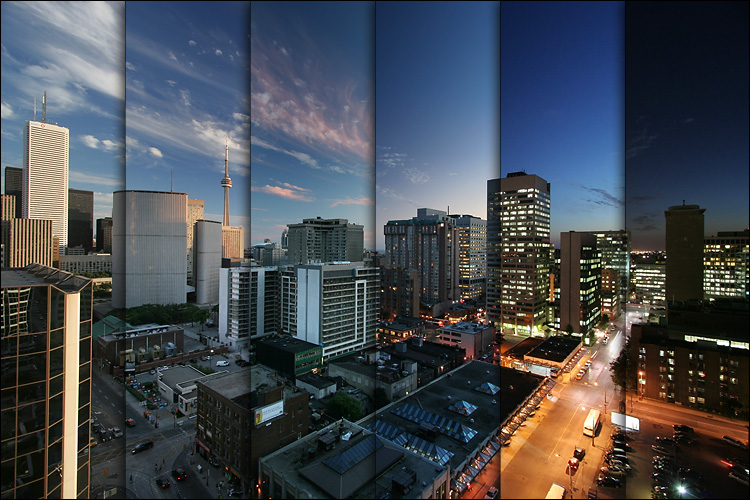
Some idea's for time-lapse segments we've had are:
- An outside shot of the front of the College over the course of a sunny day
- Video of the main Design for Games classroom T1.2 over the course of either a single lecture, or throughout a day
- Video of a student at a computer, creating something: a 3D model, a PhotoShop image, a ZBrush sculpture, game coding, anything which show's an interesting part of the game creation process
There are plenty more interesting shot's we could get of the college though of course we don't want to include too much that deviates from the main aspect of showing off great work from the course.
So, after having these idea's i had a look into how time-lapse videos are created. The most prominent method is to use a dSLR camera, this is due to their higher output quality and greater level of control as opposed to more basic cameras available.
On top of this you need an interval timer, unless the camera has an interval function built in. An interval timer is just what it sounds like, a device that will automatically take photographs at regular intervals defined by you. Apparently it is also possible to have the camera connected to a laptop or other device that is running interval timing software.
These two items are supposedly all you need. It's how a time-lapse video is created, you obtain a series of images taken at regular intervals over a period of time, after which you can use a variety of digital software packages to combine the sequence into a 24-30 Frame-Per-Second video, put a fitting music track over the top and BAM, you have yourself a time-lapse video.
However there are some other item's that will be required if you want to create something good or at the very least, steady:
- A Tripod
An obvious inclusion, but the tripod will allow for a steady stationary shot. Care must be taken to make sure the camera isn't knocked or moved during the capturing stage so it's recommended to keep a close eye on the camer during this time.
- Multiple Batteries
Some time-lapse shots take a long time to create, and the camera will be running for the duration so it is advised that you bring multiple batteries that can be swapped out between shots. Wayne, who i will be working with to create these time-lapses, pointed out that it may also be possible to obtain an AC adapter for the camera, this will mean no battery changes but is most likely only feasible for the indoor shots.
- Multiple/Large Memory Cards
If the images that are being captured are of a high resolution, memory is of course going to be an issue. Time-lapse video's require hundreds and sometimes thousands of images to be captured, so we may well need to carry multiple cards, though if we can obtain a memory card with a particularly high capacity, we should be ok, even for the longest time-lapse.
- Planning
I believe we will be discussing whether time-lapse shots will even be needed during next weeks session, but if we do we will need to do some pre-planning before getting the shots. It's advised that you take some test shots to make sure you get an angle you're happy with. You can also do some simple math to work out the interval timing, number of shots, and the final duration of your time-lapse segment, this can all be very useful to know in advance.
As mentioned earlier, once you have all the images you need, it's just a case of using digital software to assemble them into a video. I'm assuming this will be the easiest part, at least for me, i am unfamiliar with fancy photography, but using PhotoShop to create a video? Simple!
As an addition i would like to say that when envisaging the indoor time-lapse of T1.2, i see it panning from left to right. I have looked into the creation of moving time-lapses and whilst they require extra equipment like dollys, extra tripods, and motors, i still think its doable in the time we have.
But despite all this there is one potential problem: We are limited to whatever equipment is available to us. It is entirely possible that we may not have access to the equipment we need to make these time-lapse video's, at least not for a long duration. I have a feeling the equipment we would need for a moving shot is even less likely to be available.
However, we will find out soon enough, tomorrow i plan to go and find out how much of this stuff is available to us as it is important to know what we can achieve before we start planning the showreel.
Links:
How to Make a Time-Lapse Video: The Ultimate Guide
Creating a Time-Lapse Video in PhotoShop
Moving Time-Lapse Photography Tutorial

No comments:
Post a Comment